
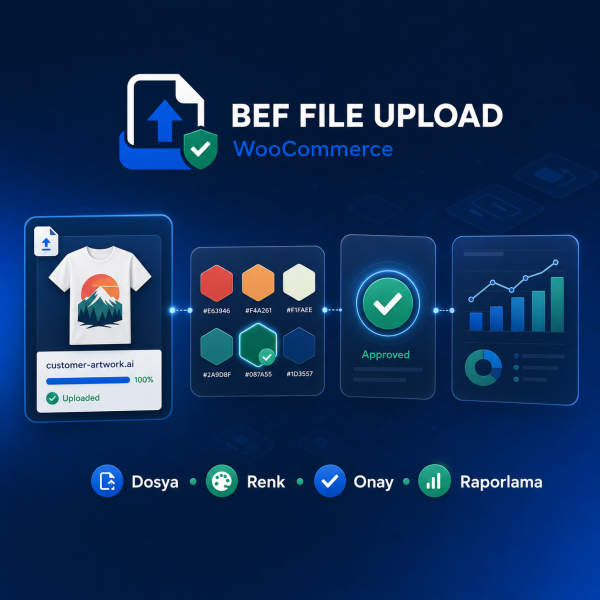
BEF File Upload WooCommerce is a comprehensive order management plugin that allows customers to securely and systematically submit files, logos, descriptions, custom fields, and color preferences for WooCommerce orders requiring design and personalization.
You can create single or multiple file upload areas based on product or variation for logos, print, promotional products, signage, packaging, corporate identity, and similar projects.
Key Features
Single or multiple drag-and-drop file uploads
Usage on product, cart, checkout, thank you, and My Account pages
Preview and delete files before purchase
Separate description and general design note for each file
File type, size, product, category, and user role restrictions
Product and variation-specific fields, data types, and labels
Adding multiple colors and HEX codes based on unique use cases
Setting additional fees for file uploads
Displaying an upload button on the desired page with a shortcode
Pending, Under Review, Approved, and Rejected workflow
Editing files, colors, and order notes by the administrator
Sending corporate email to the customer on status changes
Secure file download for administrators and customers
Private storage folder and optional Google Drive connection
Filtering, pagination, charts, CSV, and XLSX reports
Automatic, theme colors, or fully custom color design
Modern interface compatible with mobile, tablet, and desktop devices
WooCommerce HPOS and Cart/Checkout Blocks Compatibility
System requirements: WordPress 6.5 or higher, PHP 7.4 or higher, and WooCommerce 8.8 or higher.
Developer: BEF Hosting — befhosting.com
Product and support: WP Theme Market — wptemamarket.com.tr
Will my current settings be deleted during the update?
No. Plugin settings, order records, and upload information are preserved during normal update processes. However, it is recommended to back up the site and database before each update.
Can customers upload multiple files for a product?
Yes. The administrator can set the number of files allowed per product, the size limit per file, and the total upload limit.
Can multiple color codes be added to an order?
Yes. Customers can add separate HEX color codes and descriptions for backgrounds, logos, fonts, products, or other defined use cases. Selecting the same use case again is automatically prevented.
Which file types are supported?
Allowed file types can be determined by the administrator. File types such as JPG, PNG, WEBP, PDF, PSD, AI, EPS, and ZIP are supported.
On which pages can the file upload area be displayed?
It can be displayed on the Product, Cart, Checkout, Thank You, and My Account pages. It can also be added to any desired page using a shortcode.
Can the administrator approve or reject uploaded files?
Yes. The administrator can review, approve, reject, or put files on hold from the order fulfillment screen. A corporate email with a personalized note can be sent to the customer at each stage.
Can the customer change their file after placing an order?
When this feature is enabled in the settings, the customer can change their file or upload a new file from the Thank You or My Account page.
Is using Google Drive mandatory?
No. Files can be stored in secure local storage. The Google Drive connection is optional.
Is the plugin compatible with Flatsome and other WooCommerce themes?
The plugin is developed to be responsive and theme-independent. Automatic color mode, theme colors, or completely custom color options can be used.
Are WooCommerce Blocks and HPOS supported?
Yes. The plugin supports Cart and Checkout Blocks with WooCommerce HPOS.
Will older monochrome orders continue to work after the update?
Yes. Monochrome orders created in older versions will continue to be viewed and managed thanks to backward compatibility.
Where can I get technical support?
For product and usage support, you can use wptemamarket.com.tr, and for server and hosting services, you can use befhosting.com.




 Turkey (Türkçe)